Features
Everything you need to understand your users
Session replay, frustration detection, product analytics, heatmaps, in-app surveys, and enterprise tools, all in one SDK.
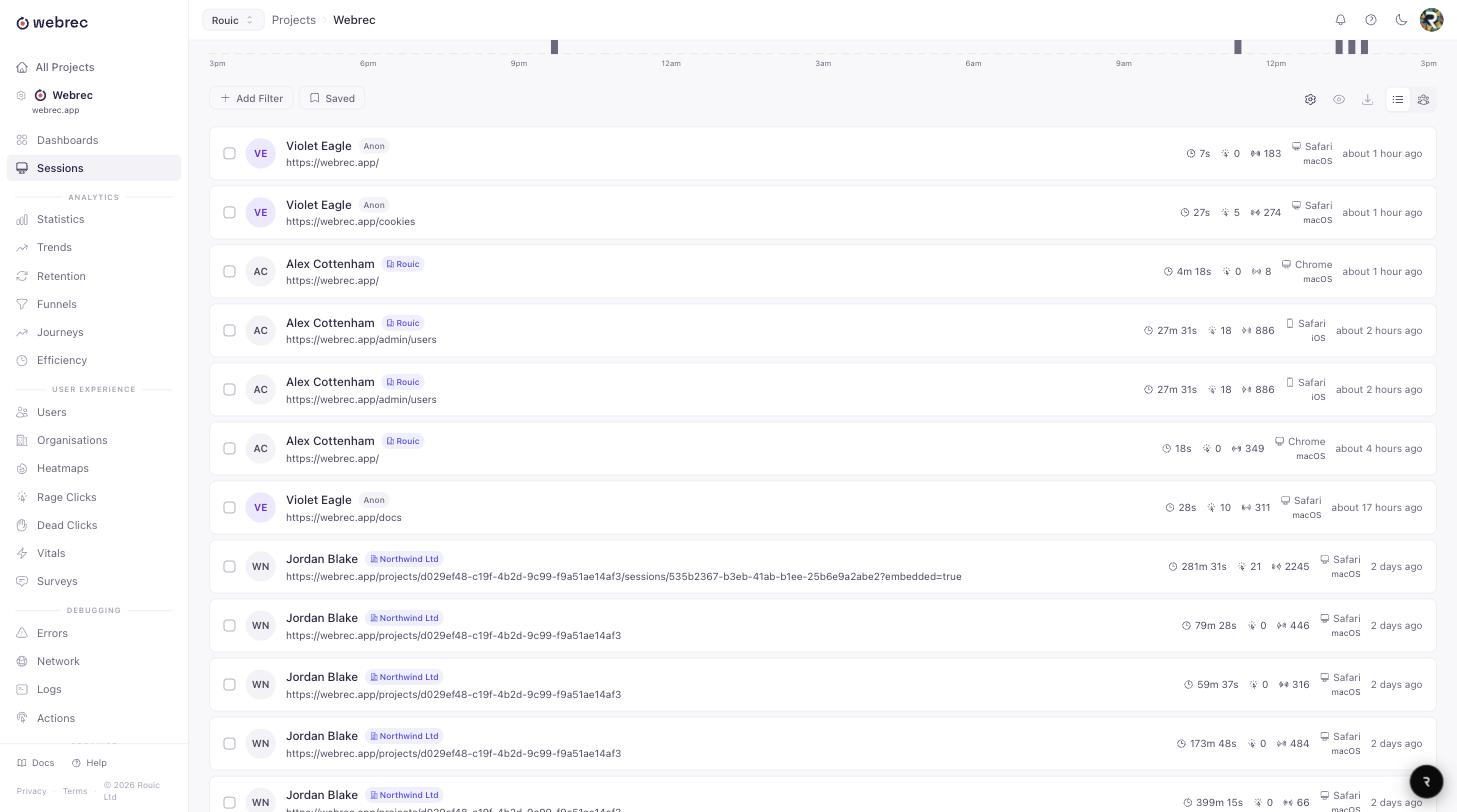
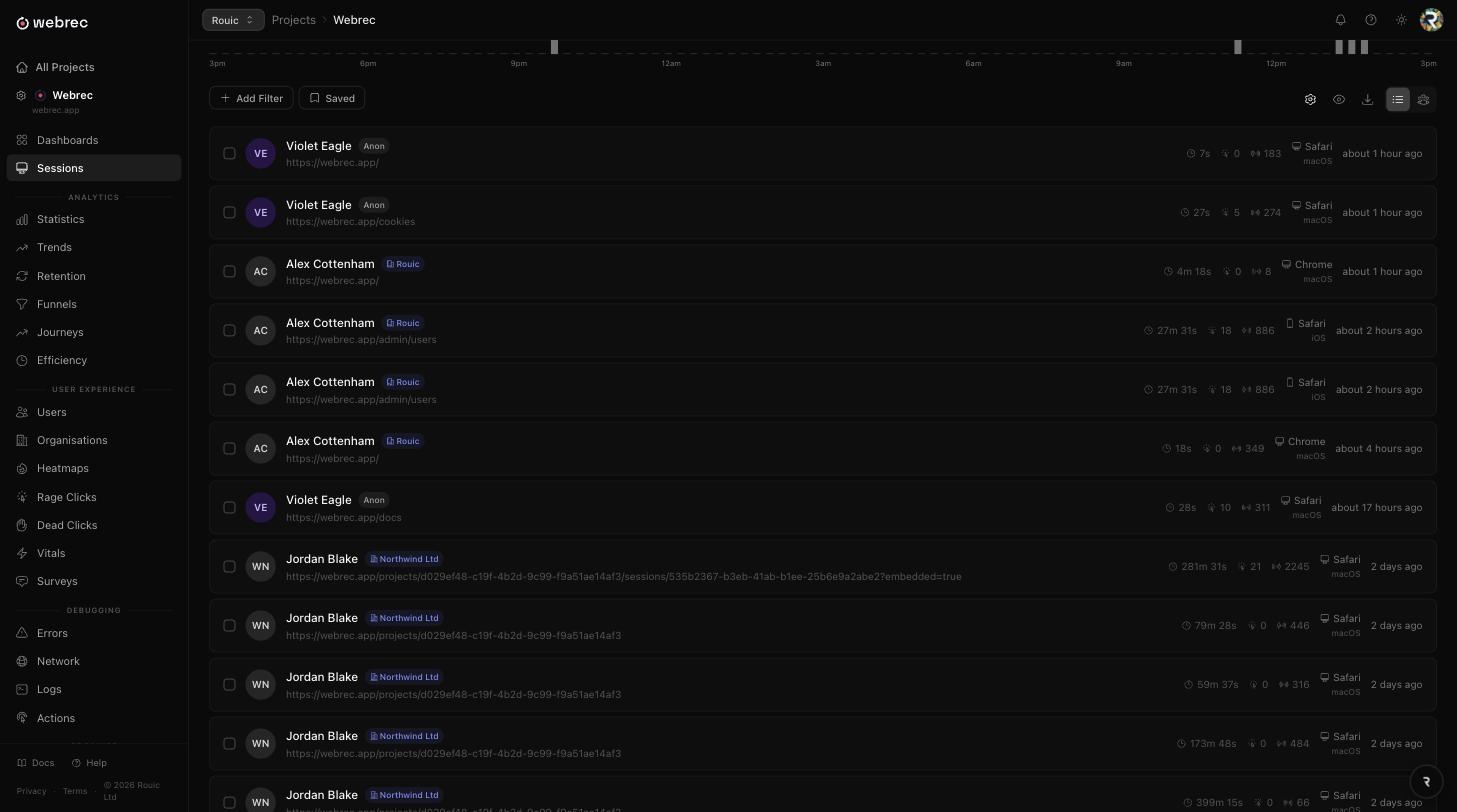
See exactly what your users see
Session Replay
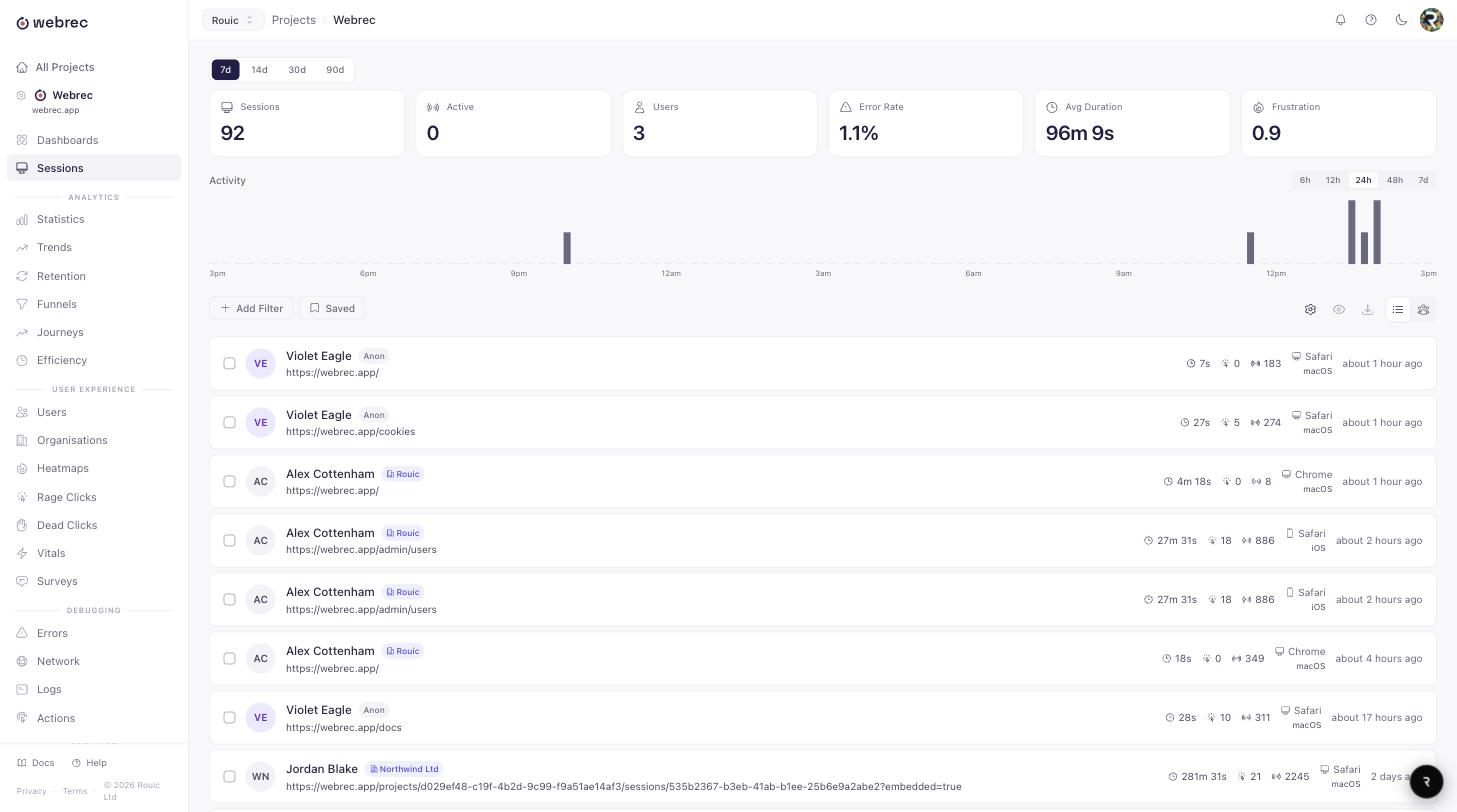
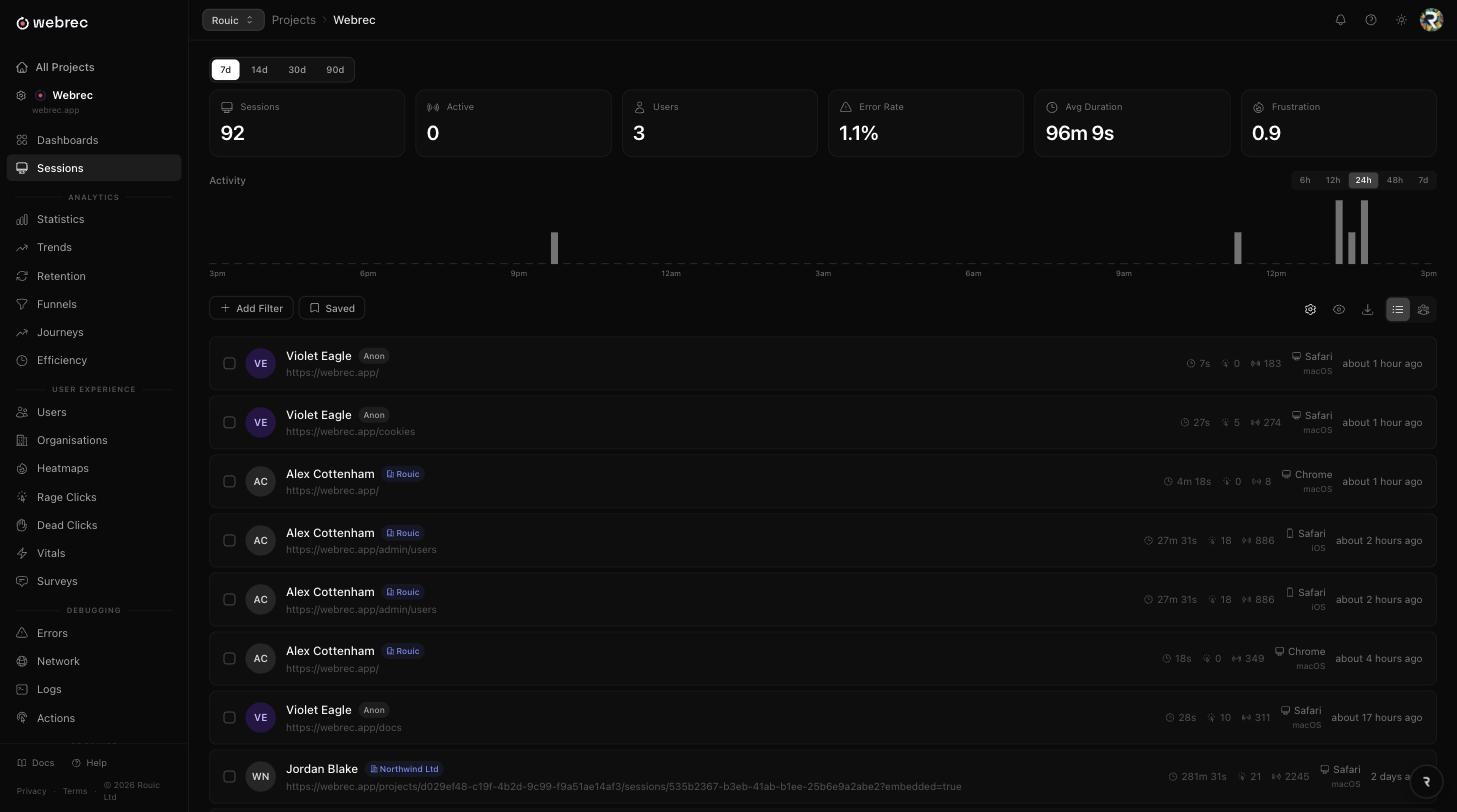
Pixel-perfect playback of every user session with full developer tools built in. Debug issues faster, understand user behaviour, and share findings with your team.
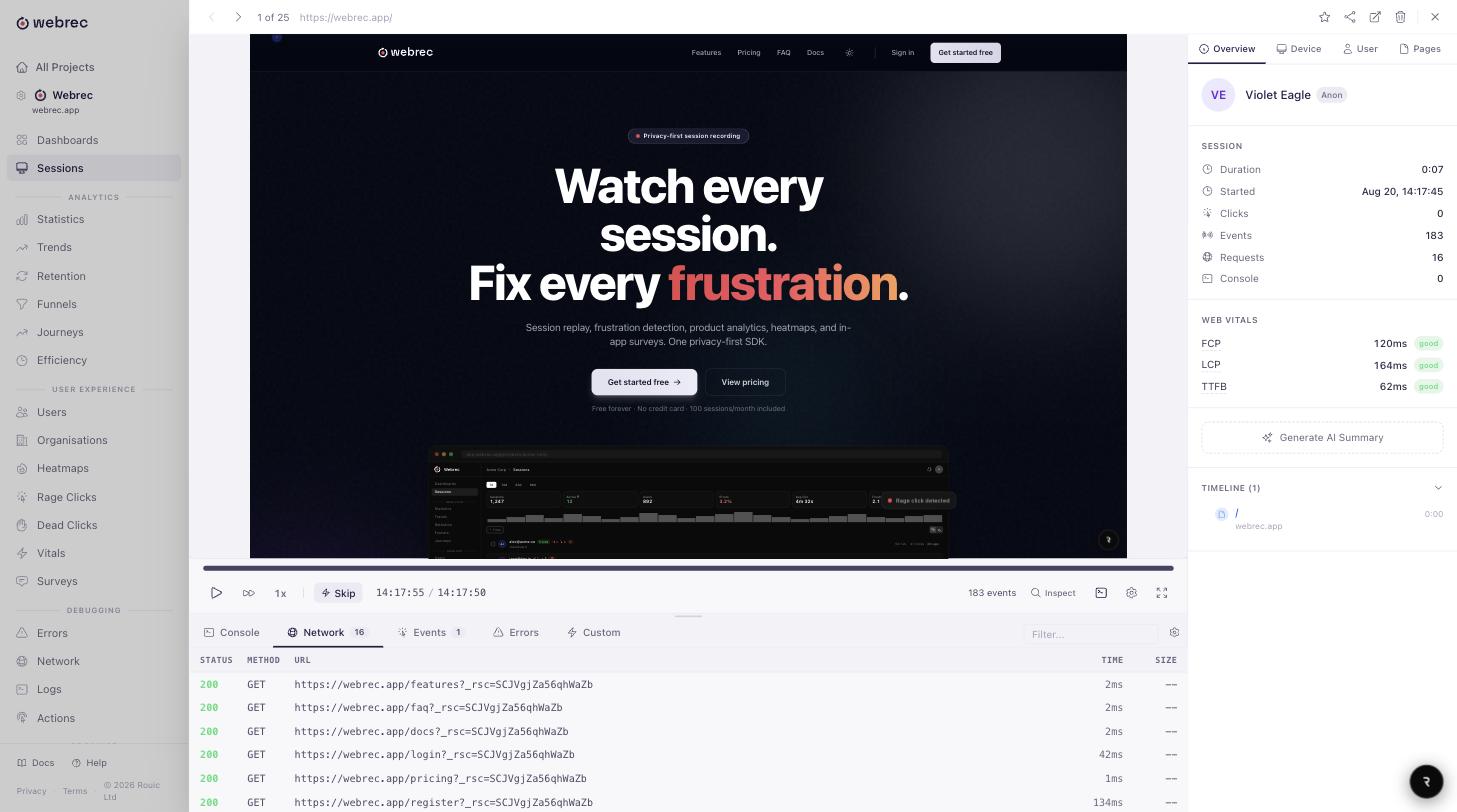
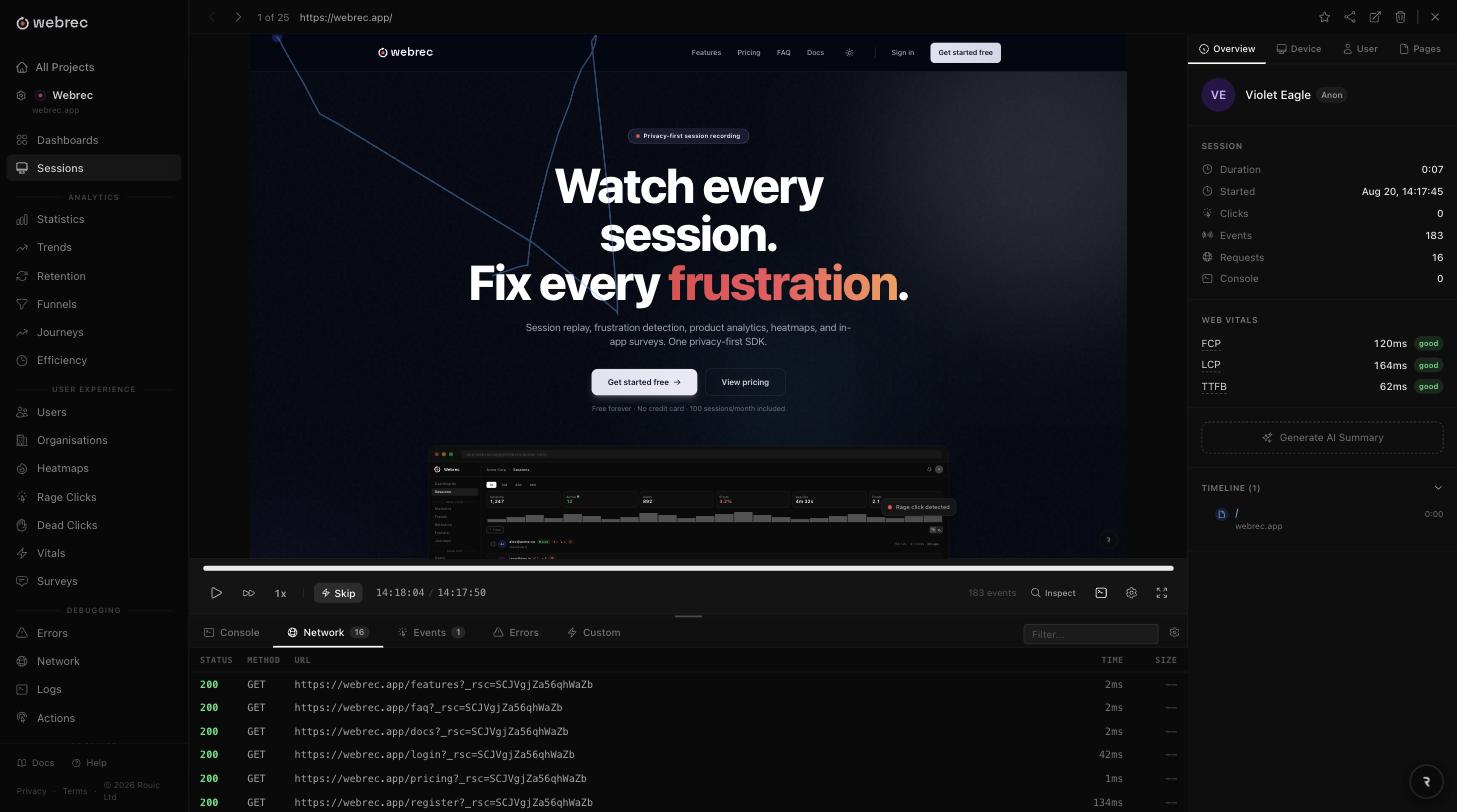
Pixel-perfect replay
Full DOM recording with CSS fidelity. Replays look exactly like the user saw them, including animations, dynamic content, and responsive layouts.
Inspect mode
Click any element directly in the replay to see its HTML, CSS properties, attributes, and event listeners. Debug layout issues without leaving the replay.
AI session summaries
GPT-powered analysis that summarises what happened in each session: key actions, errors encountered, frustration signals, and outcome.
Console logs
Full console output (log, warn, error, info) captured and displayed alongside the replay timeline. See exactly what was logged when.
Network inspector
Waterfall view of every API call with request/response bodies, status codes, timing breakdowns, and failed request highlighting.
Error tracking
JavaScript errors captured with full stack traces, grouped and prioritised. Each error is linked to the session and exact moment it occurred.
Source maps
Upload source maps to see readable stack traces with original file names and line numbers instead of minified code.
Session sharing
Share replay links with teammates. Add timestamped comments to highlight specific moments. Mark sessions as favourites for quick access.
Find what frustrates your users
Frustration Detection
Automatically detect signals of user frustration. Stop guessing where users struggle and fix the problems that matter most.
Dead click detection
Automatically finds clicks on elements that produce no response: broken buttons, unlinked text, or elements that look interactive but are not.
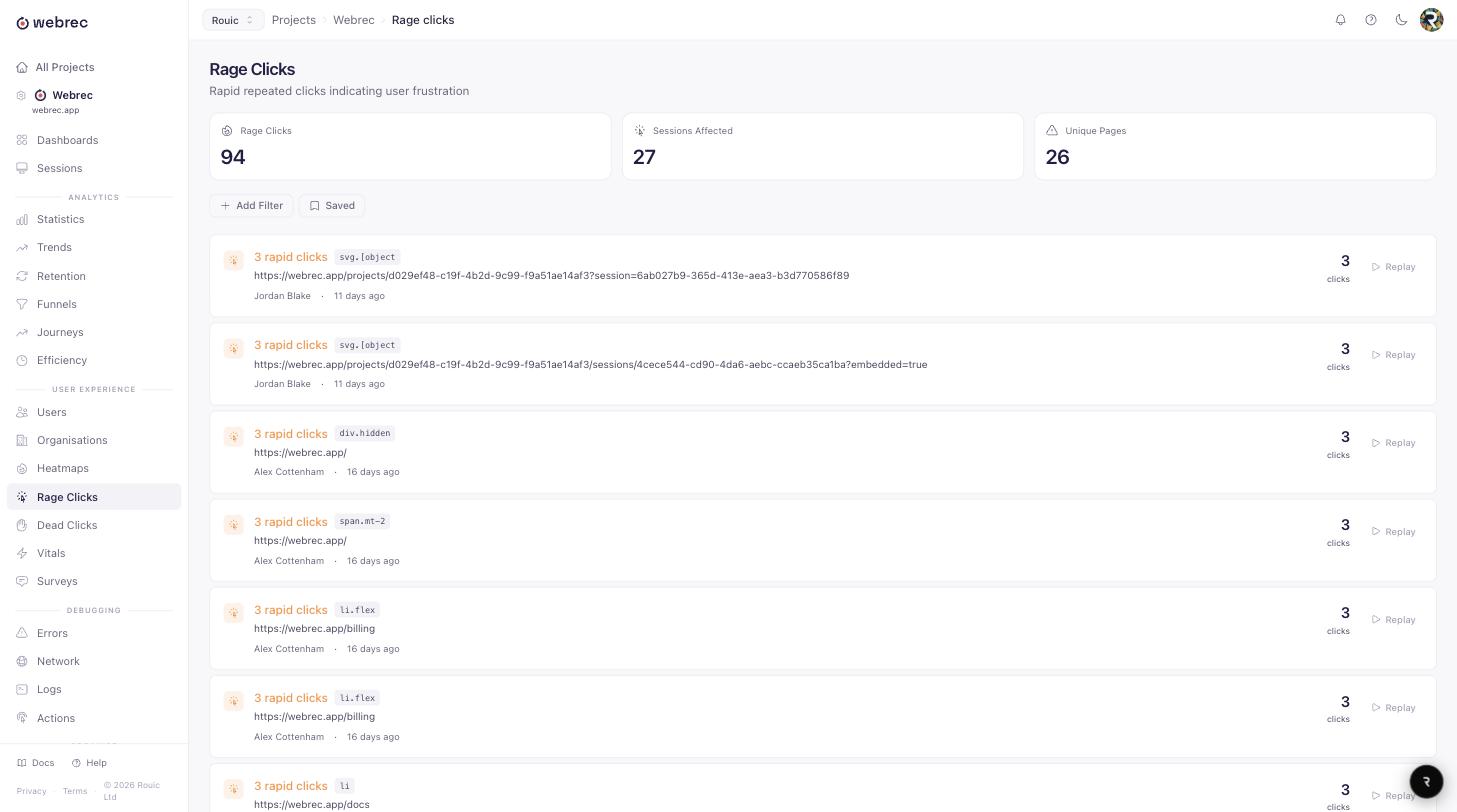
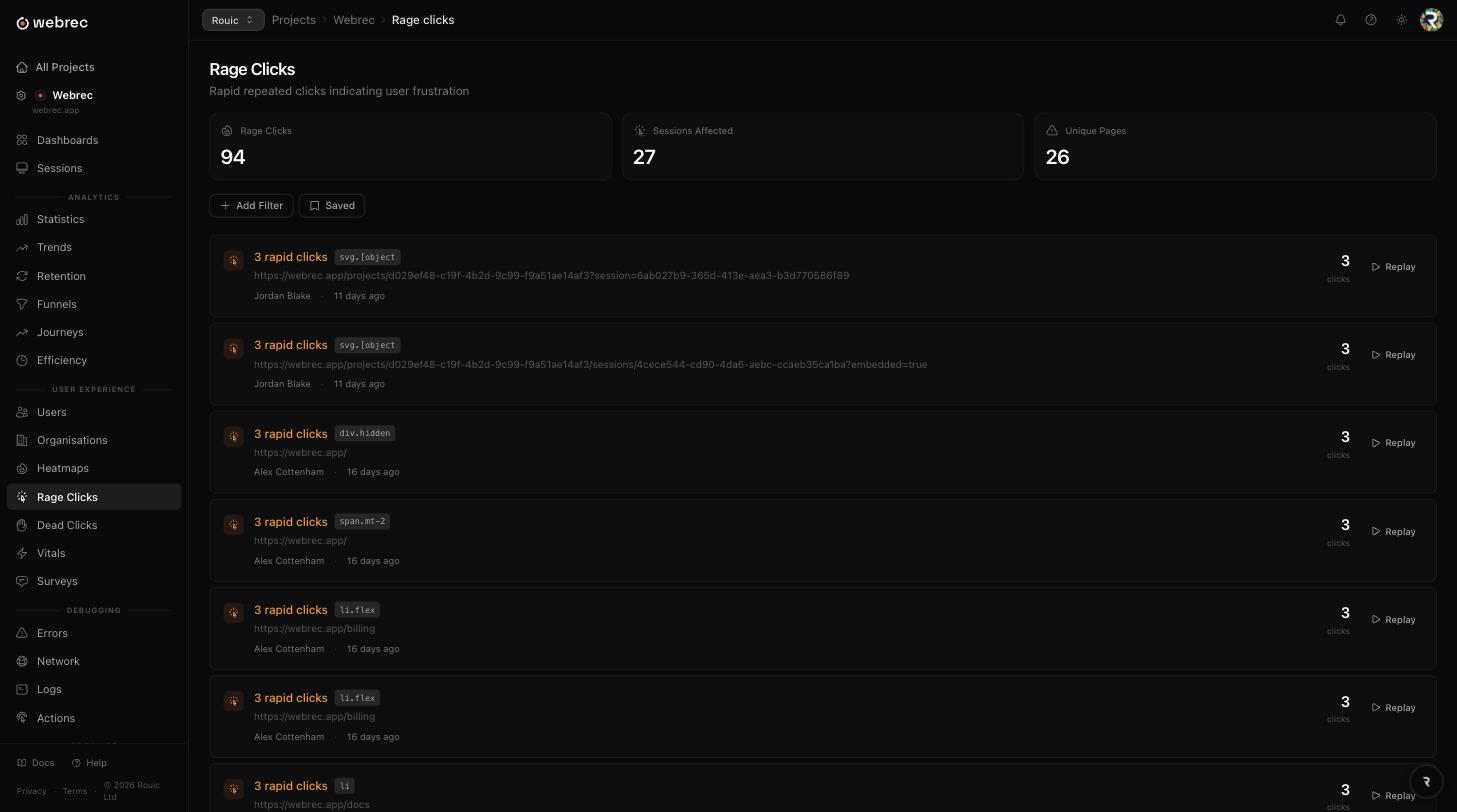
Rage click tracking
Detects repeated, rapid clicks on the same area, a strong signal that something is not working.
Error click correlation
Identifies clicks that trigger JavaScript errors. See which user interactions cause crashes and fix them with full context.
Frustration score
A composite score per session combining dead clicks, rage clicks, error clicks, and other frustration signals. Filter and sort sessions by frustration level.
Scroll heatmaps
Visualise how far users scroll on each page. See where attention drops off and where users stop engaging with your content.
Frustration filters
Filter your session list by frustration type (dead clicks, rage clicks, error clicks, or high frustration score) to focus on the sessions that matter most.
Data-driven product decisions
Product Analytics
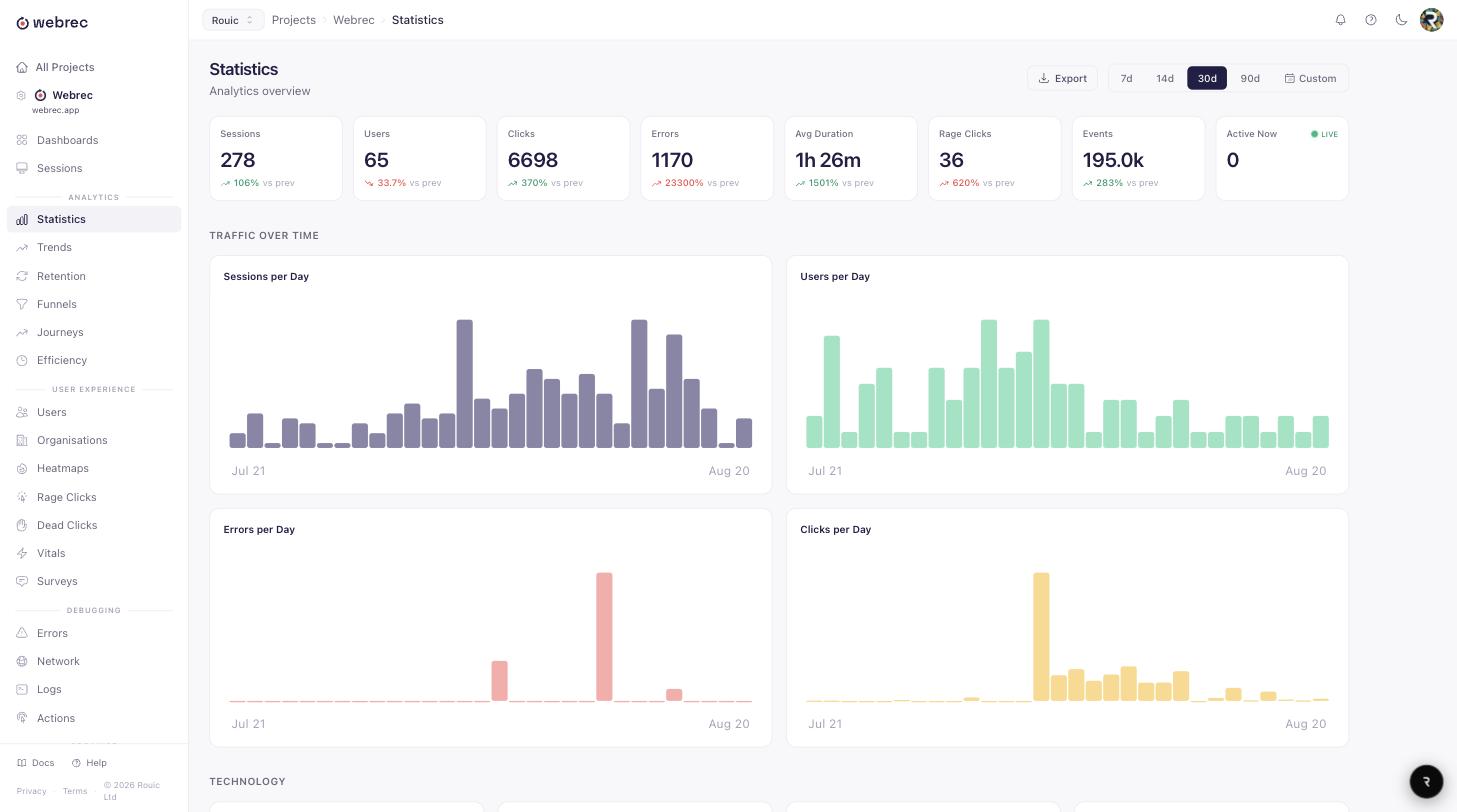
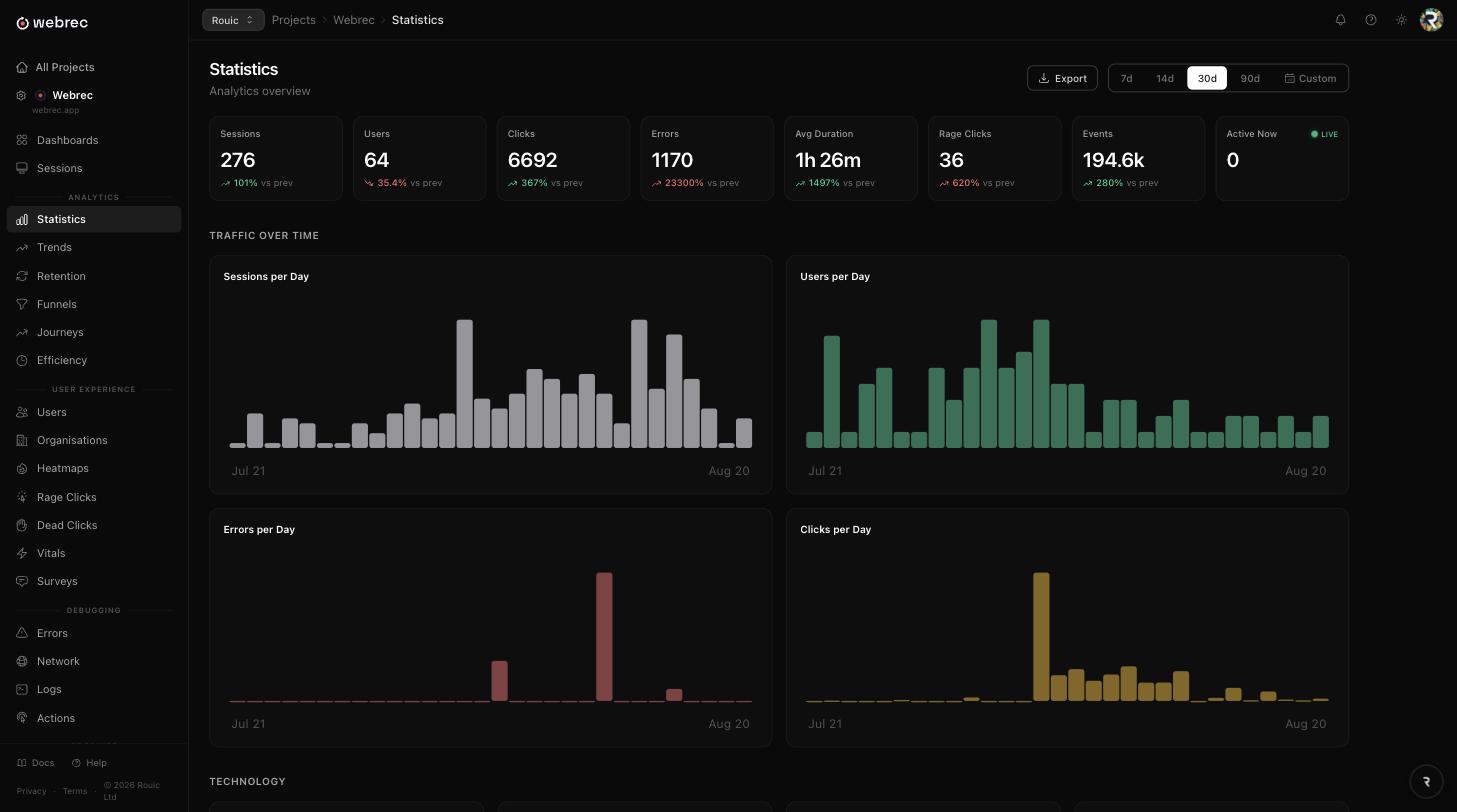
Full product analytics suite built alongside your session data. Understand conversion, retention, and user journeys without switching tools.
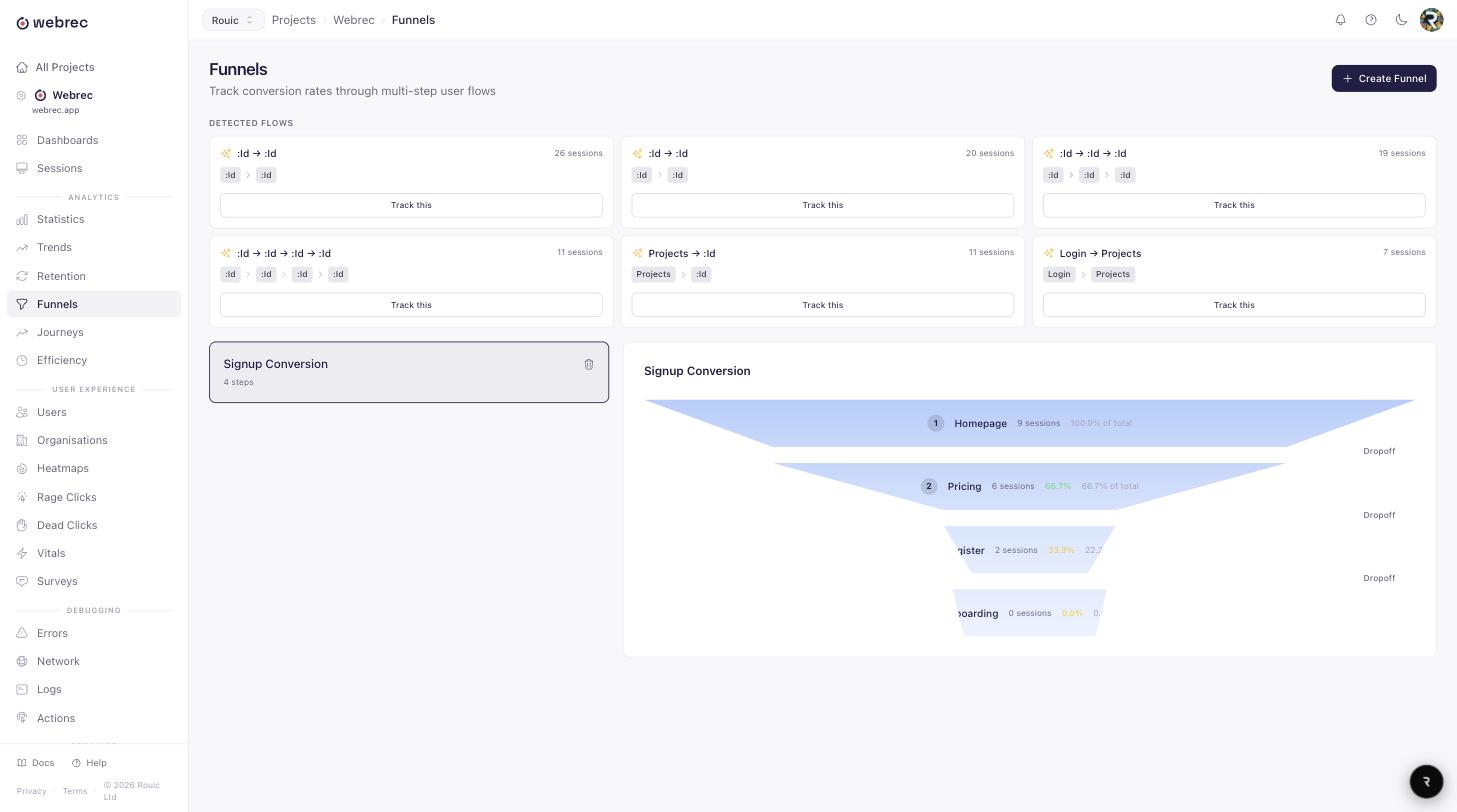
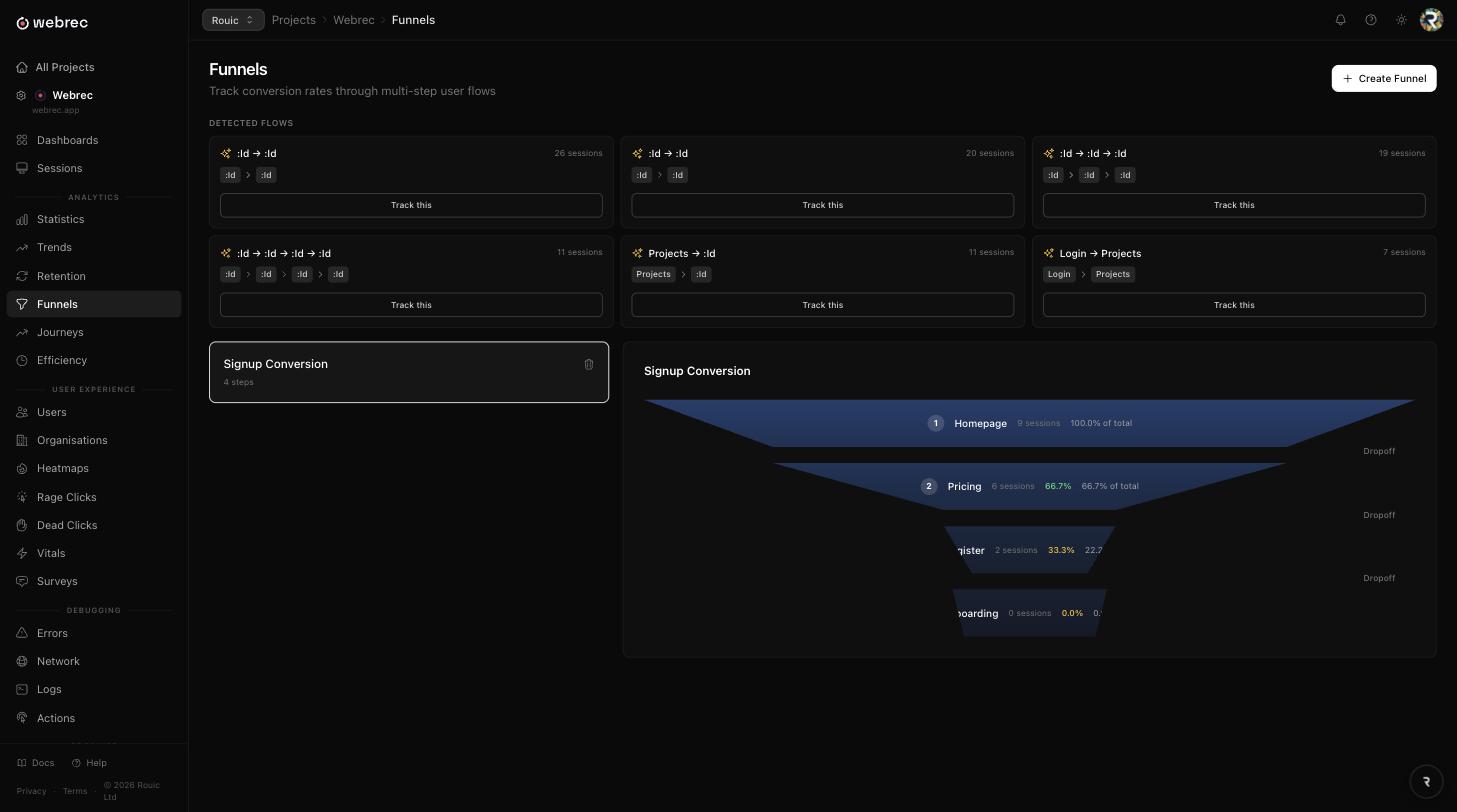
Funnel analysis
Define multi-step conversion funnels and see exactly where users drop off. Break down by user properties, device, or any custom dimension.
User journey visualisation
Sankey flow diagrams showing how users navigate through your application. See the most common paths and where users diverge.
Retention analysis
Cohort retention heatmaps showing how well you retain users over time. Break down by signup week, plan, or any user property.
Trend analysis with breakdowns
Time-series charts for any metric with dimensional breakdowns. See trends by browser, country, page, user property, or custom dimension.
Custom dashboards
Drag-and-drop dashboard builder. Add widgets for any metric, chart, or table. Build the analytics views your team needs.
Actions and custom events
Track custom events with WebRec.track() and define actions based on URL visits, clicks, or page views. Use them in funnels, trends, and filters.
Web Vitals monitoring
Core Web Vitals (LCP, CLS, INP) tracked per session with real-user data. Monitor performance across browsers, devices, and pages.
Efficiency tracking
Measure how efficiently users complete key workflows. Track time-on-task and identify bottlenecks in your user experience.
Visualise user attention
Heatmaps & Engagement
See where users click, scroll, and engage. Identify which elements capture attention and which are ignored. Track users across sessions and segment by behaviour.
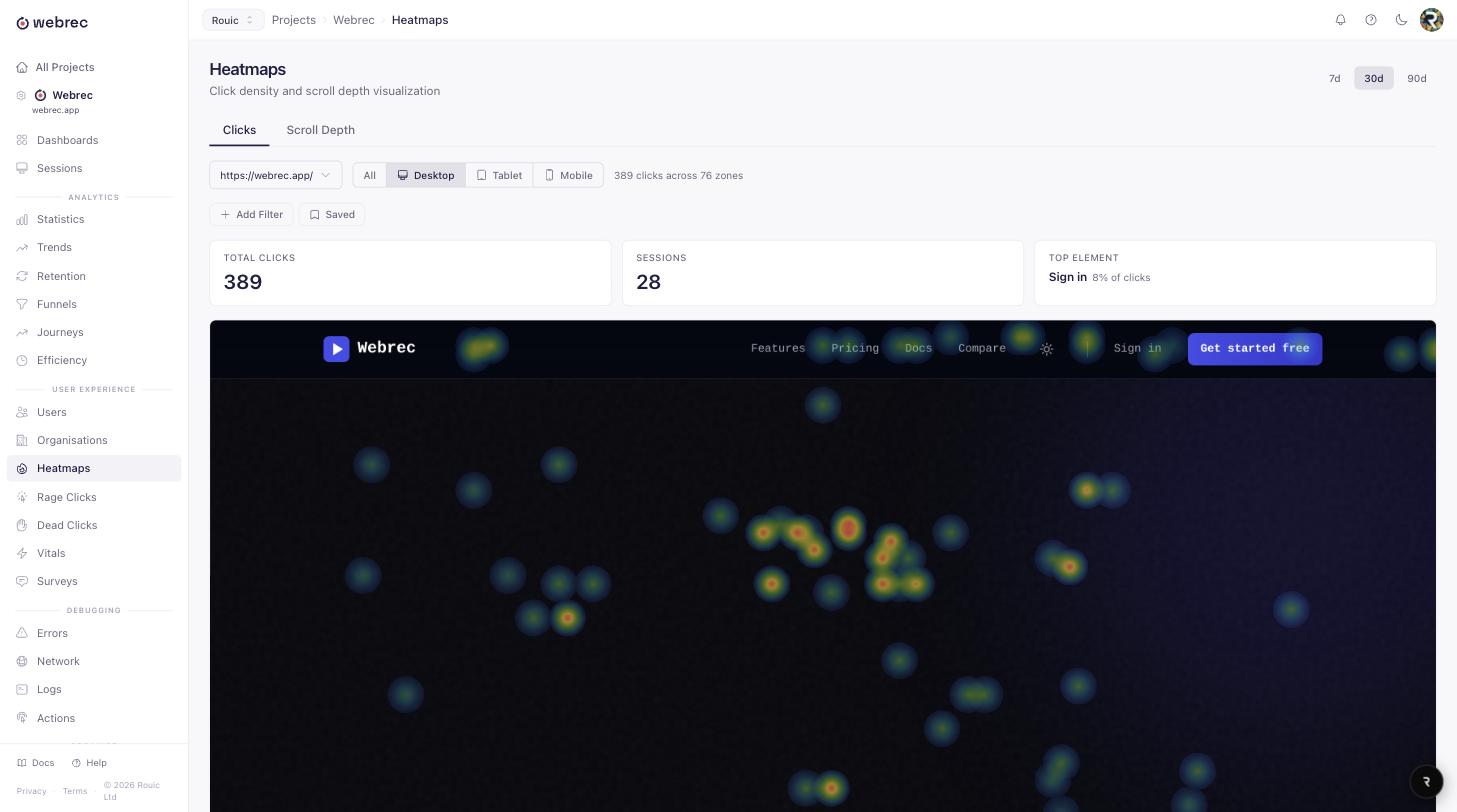
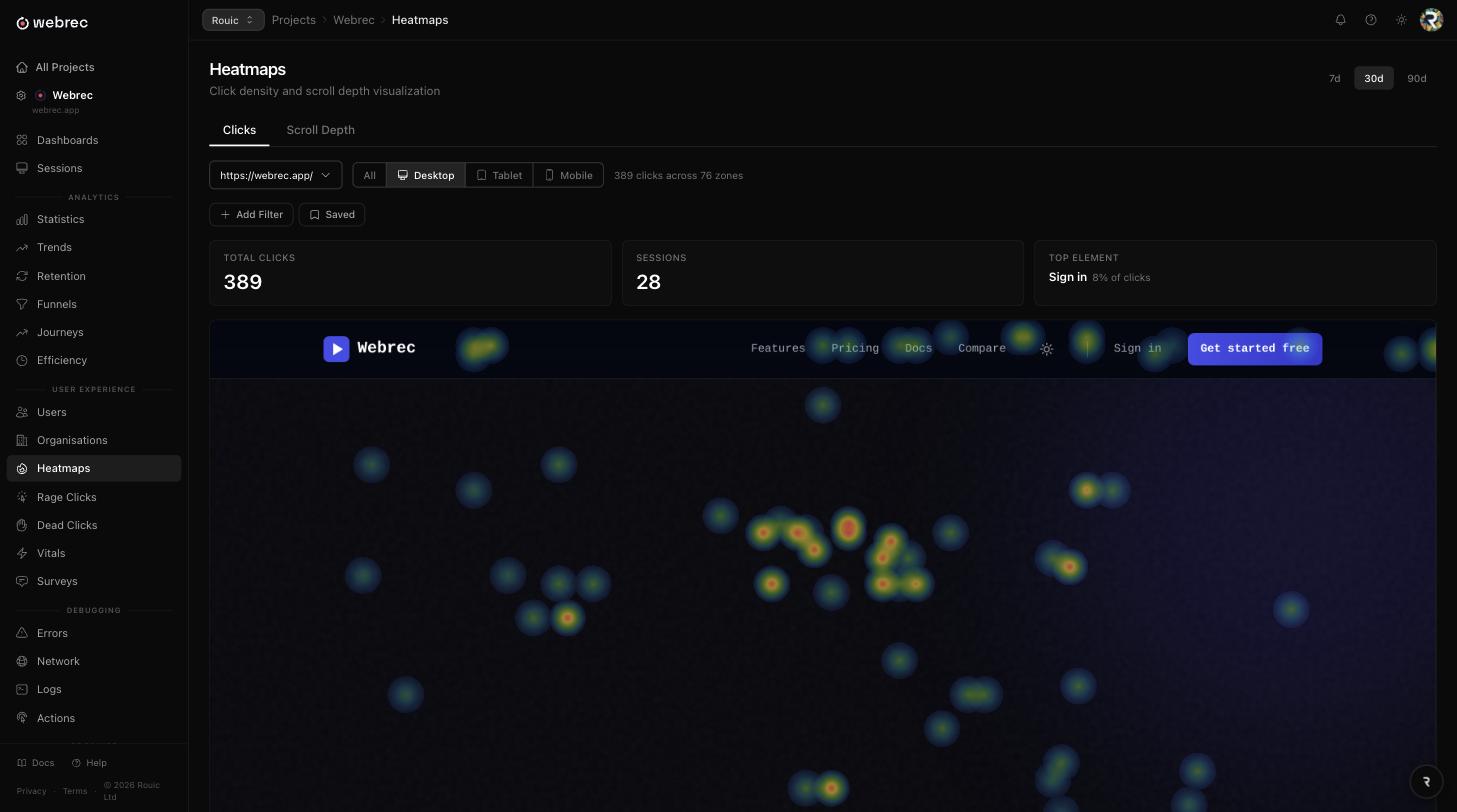
Click heatmaps
Aggregated click density maps showing where users click on each page. Identify popular elements and areas that get unexpectedly ignored.
Scroll heatmaps
See how far users scroll on each page. Understand where attention drops off and optimise content placement accordingly.
User identification
Link sessions to known users with WebRec.identify(). See all sessions for a user, their properties, and their complete journey.
Segments
Group users by behaviour, properties, or events. Create segments like "power users", "churned users", or "users who hit errors".
Rage click tracking
Automatically detect rage clicks (rapid, repeated clicks on the same area) and surface them in heatmaps and session lists.
Web Vitals
Monitor real-user Core Web Vitals (LCP, CLS, INP) alongside click and scroll data for a complete picture of the user experience.
Ask users directly
In-App Surveys
Collect qualitative feedback at the right moment. Deploy targeted surveys inside your application to understand the "why" behind user behaviour.
NPS surveys
Net Promoter Score collection with the standard 0-10 scale. Track NPS over time and break down by user segment.
Star ratings
Simple star rating questions for quick feedback. Great for feature satisfaction, support quality, or overall experience.
Multiple-choice questions
Single-select and multi-select questions for structured feedback. Pre-defined answer options with optional "other" free text.
Open-text responses
Free-text questions for detailed qualitative feedback. Let users explain their experience in their own words.
URL targeting
Show surveys only on specific pages. Target by exact URL, URL pattern, or URL contains rules.
User and behaviour targeting
Target surveys by user properties, segments, or behaviours. Show surveys to power users, new signups, or users who completed specific actions.
Built for teams and compliance
Enterprise & Collaboration
The auth, compliance, and workflow tools bigger teams ask for. Enterprise authentication, compliance tools, issue tracking integrations, data export, and team workflow features.
SSO / SAML
Enterprise single sign-on with SAML 2.0 support. Enforce authentication through your identity provider.
Audit log
Full activity log tracking who did what and when. Required for SOC 2, ISO 27001, and other compliance frameworks.
Jira integration
Create Jira issues directly from session replays. The issue includes a link back to the session, user details, and error context.
Linear integration
Create Linear issues from sessions with one click. No need to leave the session view.
CSV data export
Export sessions, errors, and analytics data as CSV files. Use the data in your own tools, spreadsheets, or data warehouse.
Session tags and labels
Organise sessions with custom tags. Mark sessions as "bug", "ux-issue", "feature-request", or any label your team needs.
Collections
Group sessions into collections for team review. Create collections for sprint reviews, bug triage, or user research sessions.
Saved search views
Save filter presets and share them with your team. Create views like "high frustration sessions" or "checkout errors this week".
Alerts and webhooks
Set up alerts for error spikes, frustration thresholds, or custom conditions. Send notifications via Slack, email, or webhooks.
Team roles
Role-based access control with admin, member, and viewer roles. Control who can manage settings and who can view data.
Ready to understand your users?
Start free with 100 sessions/month. Upgrade anytime for more capacity and features. No credit card required. Set up in under two minutes.